On-device screenshot reading
Read screenshots aloud on a Mac
Copy one screenshot at a time, press Option-A, and Anything Aloud uses Apple's Vision framework on your Mac to recognise the words before reading them.
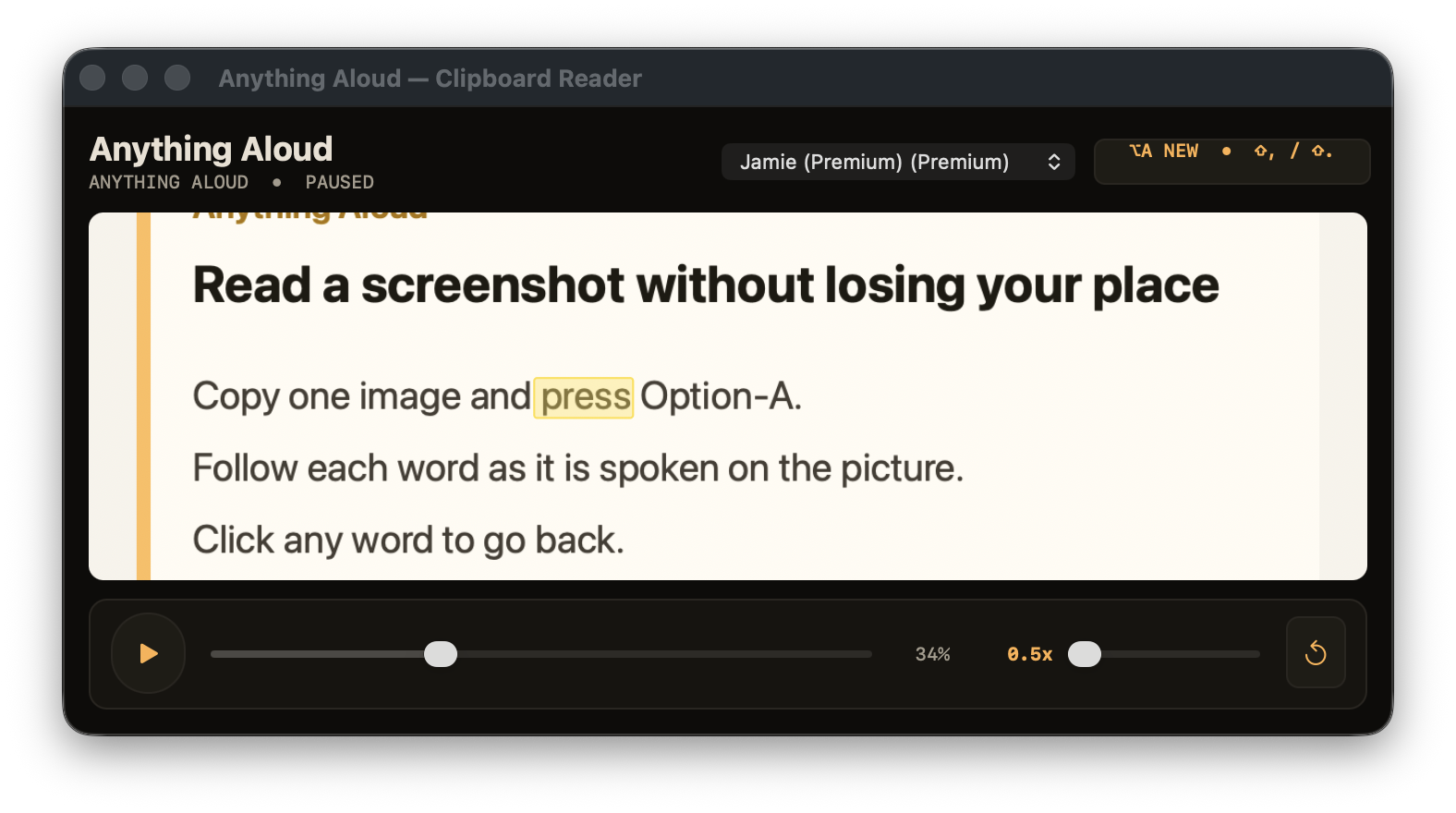
The one-image workflow
Copy the part of the screen you need
Hold Control-Shift-Command-4, drag over the area, then release. Holding Control copies the capture to the clipboard instead of saving it to the desktop. Apple documents the screenshot shortcuts in its Mac screenshot guide.
Press Option-A with no live text selection
Anything Aloud gives a current text selection priority. When there is no live selection, it reads the image already on the clipboard.
Follow the highlight on the image
Recognised words are read in order and the current word is highlighted over its location on the original copied image.
One image at a time means one image at a time. There is no batch queue or screenshot library. Copying another screenshot and pressing Option-A starts a new image read in the same reader.
What the screenshot reader does and does not do
What it does
- Recognises text locally with Apple's Vision framework.
- Keeps the copied picture visible whilst the current word moves across it.
- Uses the same play, progress, click-to-seek and speed controls as a text read.
Practical limits
- Small, blurred, decorative or low-contrast lettering may be recognised incorrectly.
- Some apps prevent their windows from being captured.
- It reads the recognised words; it does not describe pictures that contain no readable text.
Your screenshot and its recognised words stay on your Mac. Speech and recognition do not use an Anything Aloud reading server. Licence activation, occasional licence validation and signed update checks are separate network requests and contain no reading content.
Crop out names, messages or account details you do not need before copying a screenshot. The app processes the image locally, but a tighter capture also gives the recogniser less unrelated text to order.